
Understanding Linux Security: A Beginner’s Guide to Protecting Your System
Explore key Linux security concepts including access control, SELinux, AppArmor, firewalls, encryption, and best practices to protect your system from unauthorized access and attacks.

Linux is widely respected for its robust security model, but its power goes well beyond basic user permissions. Whether you’re a new Linux user setting up your first server or an administrator responsible for multiple systems, understanding how Linux implements security — from access control models to firewalls and kernel safeguards — is essential for building resilient, secure environments.
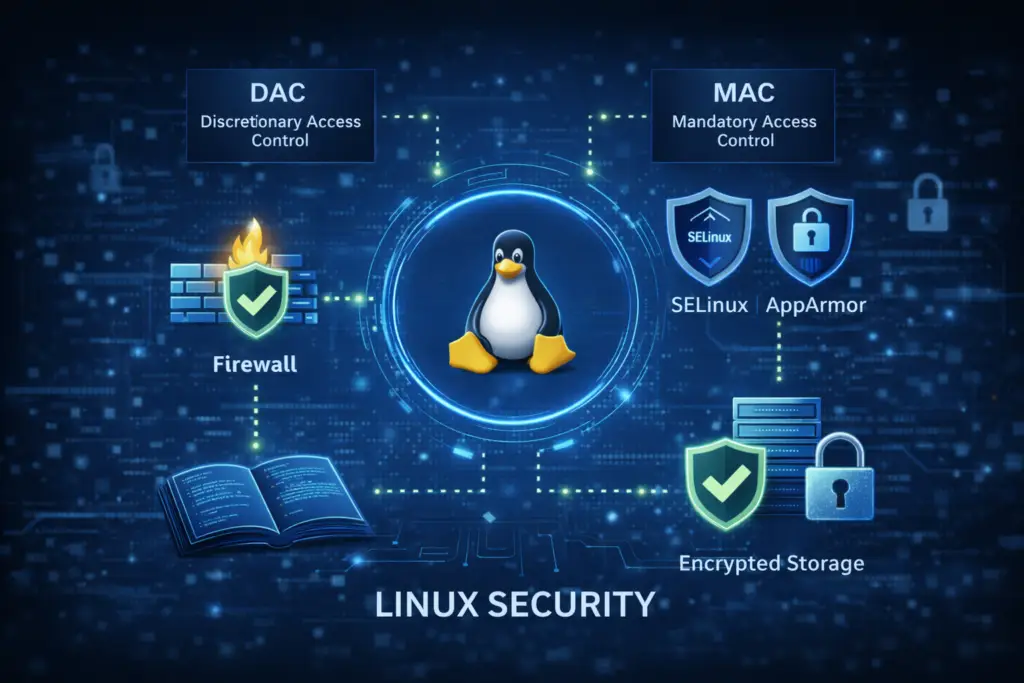
This guide explains core Linux security concepts, how its mechanisms work together to protect systems, and what practical steps you can take to harden your Linux installation.
Why Linux Security Is Important
Linux is used everywhere: in cloud infrastructure, enterprise servers, routers, IoT devices, and desktops. Its security features are designed to minimize the impact of attacks, prevent unauthorized access, and isolate compromised components — all while maintaining flexibility and performance. Building a solid understanding of these elements helps you maintain systems that are less vulnerable to exploitation.
Linux Access Control: DAC vs. MAC
At its core, Linux uses two types of access control:
1. Discretionary Access Control (DAC)
The traditional Unix file permissions system where users assign read, write, and execute permissions to files and directories. While DAC is foundational, it relies on user discretion and doesn’t provide strong isolation on its own.
2. Mandatory Access Control (MAC)
MAC enforces policies defined by the system that cannot be overridden by users — even root. This creates a more restrictive security model. Linux implements MAC through systems such as SELinux and AppArmor.
Mandatory Access Control: SELinux and AppArmor Explained
Linux supports multiple architectures for MAC under its Linux Security Modules (LSM) framework. These modules enforce additional security policies beyond standard permissions.
SELinux (Security-Enhanced Linux)
- Uses security contexts (labels) attached to files and processes.
- Policies define which interactions are permitted between contexts, providing fine-grained control.
- Typically default on Red Hat, Fedora, and derivatives.
SELinux operates in three main modes:
- Enforcing — actively blocks unauthorized actions.
- Permissive — logs violations without blocking them (useful for debugging).
- Disabled — turns off SELinux enforcement.
AppArmor
- Uses profile files tied to program paths defining what resources an application can access.
- Generally easier to configure than SELinux and works well on distributions like Ubuntu and openSUSE.
- Profiles can run in enforce or complain mode, where violations are logged.
Both systems greatly restrict what applications or users can do, reducing the potential impact of compromised software.
Tools That Protect Linux Systems
Linux provides many built-in tools and frameworks to enhance security:
User and Group Management
Linux enforces the principle of least privilege, meaning users and processes should have only the access they need and nothing more. You can manage users and groups to isolate roles and restrict access accordingly.
Firewalls (iptables / nftables)
Firewalls filter network traffic and prevent unauthorized connections. Tools like iptables, its modern successor nftables, and user-friendly interfaces like ufw help control traffic entering and leaving your system.
Encryption and Secure Storage
Encrypting data at rest and in transit protects sensitive information. Linux supports disk encryption (e.g., LUKS/dm-crypt) and file encryption tools like GnuPG to safeguard data even if hardware is stolen.
Sandboxing (seccomp)
The seccomp facility allows processes to enter a restricted mode where only certain system calls are permitted, effectively isolating processes from the rest of the system.
Best Practices for Strengthening Linux Security
1. Always Keep Software Updated
Applying updates regularly ensures that known vulnerabilities are patched promptly. Many distributions allow automatic installation of security updates to minimize risk.
2. Use Strong Authentication Methods
SSH with key-based authentication, two-factor authentication, and strong user passwords help protect against unauthorized access attempts.
3. Monitor and Audit System Activity
Regularly inspect system logs for suspicious activity. Logging tools and security audit frameworks provide insights into possible intrusion attempts or misconfigurations.
4. Enable Mandatory Access Controls
Where possible, enable SELinux or AppArmor in enforcing mode to add robust constraints on how processes and users interact with system resources.
Conclusion
Linux security is comprehensive because it layers multiple protective measures: from basic file permissions and user isolation to advanced mandatory access controls and encryption. By understanding these mechanisms and applying best practices, you can significantly reduce the risk of breaches and unauthorized access.
Whether you’re securing a home server or managing a fleet of production machines, a solid grasp of Linux security fundamentals — including DAC, MAC, firewalls, encryption, and system monitoring — will help you build resilient systems prepared to withstand modern threats.