
A few months ago, I got one of those emails that looked completely legitimate. It appeared to come from a service I actually use. The logo was right, the design looked professional, and even the sender’s name seemed familiar.
The only thing that saved me was a small detail in the email address that most people would never notice.
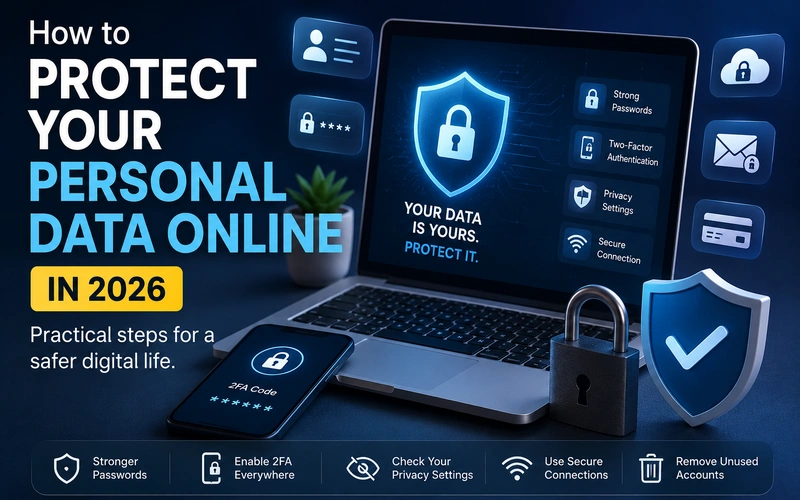
That experience reminded me of something important: protecting personal data online isn’t just about having antivirus software anymore. The tricks scammers use in 2026 are smarter, more convincing, and often powered by the same technologies that make our lives easier.
Over the past several years, I’ve changed how I manage passwords, what apps I trust, how I handle public Wi-Fi, and even how much personal information I share online. Some changes were easy. Others came after learning lessons the hard way.
If you’re wondering how to keep your personal information safe without becoming a cybersecurity expert, here’s what actually works.
Why Personal Data Is More Valuable Than Ever
Most people think hackers are only interested in bank accounts or credit cards.
That’s not really true anymore.
Your email address, phone number, browsing habits, location history, social media profiles, and even shopping preferences can all be valuable.
Companies use data to personalize services. Criminals use it to impersonate you, target you with scams, or gain access to your accounts.
What surprised me most was discovering how much information I had publicly available without realizing it. Old accounts, forgotten apps, and years of social media activity had created a surprisingly detailed digital profile.
The good news is that you don’t need to disappear from the internet to improve your privacy.
Start With Your Passwords
This is still the biggest weakness for many people.
Years ago, I used variations of the same password everywhere. It felt convenient until one website suffered a data breach.
Suddenly, several accounts were at risk.
Today, I use a password manager to generate and store unique passwords for every account.
Popular options include:
- 1Password
- Bitwarden
- Dashlane
- NordPass
- Google Password Manager
- Apple Passwords
The biggest benefit isn’t just stronger passwords.
It’s not having to remember them.
A good password manager can create random passwords that are practically impossible to guess and automatically fill them in when needed.
Simple Password Rules
- Never reuse passwords.
- Use at least 12–16 characters.
- Enable password breach alerts when available.
- Change passwords immediately after a known breach.
Turn On Two-Factor Authentication Everywhere
If I could recommend only one security upgrade, this would be it.
Two-factor authentication (2FA) adds a second verification step after entering your password.
Even if someone steals your password, they still need access to your verification method.
Whenever possible, use:
- Use a dedicated authentication app that generates one-time login codes directly on your device.
- Passkeys.
- Security keys.
Try to avoid SMS-based verification when stronger options are available.
I’ve personally stopped using SMS authentication for important accounts whenever possible because phone-number hijacking scams have become more common.
Embrace Passkeys
One of the biggest security improvements in recent years has been passkeys.
Many major platforms now support them, including:
- Apple
- Microsoft
- Amazon
- PayPal
Instead of relying on traditional passwords, passkeys use your device’s built-in security systems.
In practice, logging in often becomes as simple as using your fingerprint or face recognition.
I was skeptical when I first tried passkeys, but after using them for several months, they’ve become my preferred login method whenever available.
They’re easier to use and significantly harder for attackers to steal.
Be Careful What You Share on Social Media
Many online scams start with information people willingly post.
Think about the common security questions websites ask:
- Your first pet
- Your hometown
- Your school
- Family names
- Birthdays
Now think about how much of that information might already be visible on your social media profiles.
I’ve seen people accidentally reveal enough personal details through years of posts that someone could piece together answers to multiple account recovery questions.
Before posting, ask yourself:
“Could this information be used against me if it ended up in the wrong hands?”
If the answer is no, reconsider sharing it publicly.
Things I Avoid Posting
- Home address details
- Travel plans before a trip
- Photos showing sensitive documents
- Boarding passes
- Financial information
- Personal identification cards
Review App Permissions Regularly
One of the most eye-opening things I ever did was review app permissions on my phone.
Several apps had access to:
- My location
- Camera
- Microphone
- Contacts
- Photos
And many of them didn’t actually need that access.
Now I spend a few minutes every couple of months checking permissions.
On Your Smartphone
Go through:
- Location access
- Microphone access
- Camera access
- Contacts access
- Background activity permissions
If an app doesn’t genuinely need a permission, disable it.
You may be surprised by how much data you’re sharing unnecessarily.
Watch Out for AI-Powered Scams
Scams have changed dramatically.
Years ago, phishing emails were often full of spelling mistakes and obvious warning signs.
Today, AI can generate highly convincing messages in seconds.
I’ve seen fake customer support emails that looked almost identical to legitimate communications.
Some scammers even use AI-generated voices to impersonate family members or coworkers.
Red Flags to Look For
- Urgent requests for money
- Unexpected password reset links
- Requests for verification codes
- Messages demanding immediate action
- Suspicious attachments
Whenever possible:
- Visit websites directly.
- Don’t click links from unexpected messages.
- Verify requests through official channels.
Taking an extra minute can save a lot of trouble.
Keep Your Devices Updated
Updates can be annoying.
I used to postpone them constantly.
Then I learned that many updates fix security vulnerabilities that attackers actively target.
Now I allow automatic updates on:
- Smartphones
- Laptops
- Tablets
- Browsers
- Smart home devices
This simple habit closes many security gaps without requiring any technical knowledge.
Secure Your Home Wi-Fi Network
Your home network is the gateway to everything connected inside your house.
A few years ago, I checked a friend’s router settings and discovered the default password was still active.
Unfortunately, that’s more common than many people realize.
Wi-Fi Security Checklist
- Change the default router password.
- Use WPA3 encryption if available.
- Install router firmware updates.
- Disable remote management if unnecessary.
- Create a guest network for visitors.
Modern routers from brands like ASUS, TP-Link, Netgear, and Eero make these settings relatively easy to manage.
Use Public Wi-Fi Carefully
Coffee shops, airports, hotels, and shopping centers all offer convenient internet access.
They’re also attractive environments for cybercriminals.
Whenever I travel, I assume public Wi-Fi networks are not secure.
Safer Public Wi-Fi Habits
- Avoid banking on public Wi-Fi.
- Use a trusted VPN when necessary.
- Disable automatic Wi-Fi connections.
- Turn off file sharing.
- Forget networks after use.
A VPN isn’t a magic solution, but it can add an extra layer of protection when using unfamiliar networks.
Remove Old Accounts You No Longer Use
This is one task almost nobody enjoys.
But it’s surprisingly important.
Years ago, I signed up for dozens of websites and apps I completely forgot about.
Some of those accounts still contained personal information.
The problem is simple:
You can’t protect accounts you don’t remember exist.
Spend an afternoon:
- Searching your email for account creation messages.
- Reviewing old app subscriptions.
- Deleting unused accounts.
- Removing saved payment methods.
Reducing your digital footprint reduces your risk.
Monitor Your Accounts for Breaches
Data breaches happen.
Even well-known companies can be affected.
What matters is finding out quickly.
I enable security alerts wherever possible.
These notifications can warn you about:
- New logins
- Password changes
- Unrecognized devices
- Suspicious activity
The faster you respond, the less damage an attacker can do.
Don’t Ignore Privacy Settings
Most platforms offer privacy controls, but many people never adjust them.
Whenever I join a new service, I spend a few minutes reviewing:
- Profile visibility
- Data sharing options
- Ad personalization settings
- Contact discovery features
- Location sharing settings
These small adjustments can significantly reduce unnecessary exposure.
Common Mistakes That Put Data at Risk
I’ve seen these mistakes repeatedly, and I’ve made some of them myself.
Using the Same Password Everywhere
One breach can expose multiple accounts.
Clicking Links Too Quickly
Scammers rely on urgency and distraction.
Ignoring Software Updates
Outdated devices are easier targets.
Sharing Too Much Online
which Information you post publicly it can be used against you.
Trusting Every App
Not every app deserves access to your data.
Assuming “It Won’t Happen to Me”
Most victims never expected to become targets.
A Practical 30-Minute Privacy Upgrade Plan
If you only have half an hour, here’s what I’d do first:
- Install a password manager.
- Enable two-factor authentication on your email account.
- Review app permissions on your phone.
- Update all devices.
- Change your router password if it’s still the default.
- Delete one unused account.
- Check privacy settings on your most-used social platform.
Those seven steps alone can dramatically improve your online security.
Final Thoughts
Protecting personal data online isn’t about being paranoid. It’s about making a few smart habits part of your routine.
The biggest lesson I’ve learned is that security isn’t one giant action. It’s a collection of small decisions repeated consistently over time.
Most people don’t need advanced cybersecurity tools. They need stronger passwords, better account protection, fewer unnecessary permissions, and a healthy amount of skepticism when something online feels off.
The internet will continue to evolve, and so will the threats that come with it. But the people who stay safest are usually not the most technical. They’re the ones who pay attention, verify before they trust, and take a few minutes to secure the information that matters most.
About the founder:
“Hi, I’m Ali, the founder of DailyUpdate47. I am passionate about technology, artificial intelligence, software, and digital innovation. Through DailyUpdate47, I aim to provide readers with accurate, easy-to-understand, and practical technology content that helps them stay informed in a rapidly changing digital world.”